
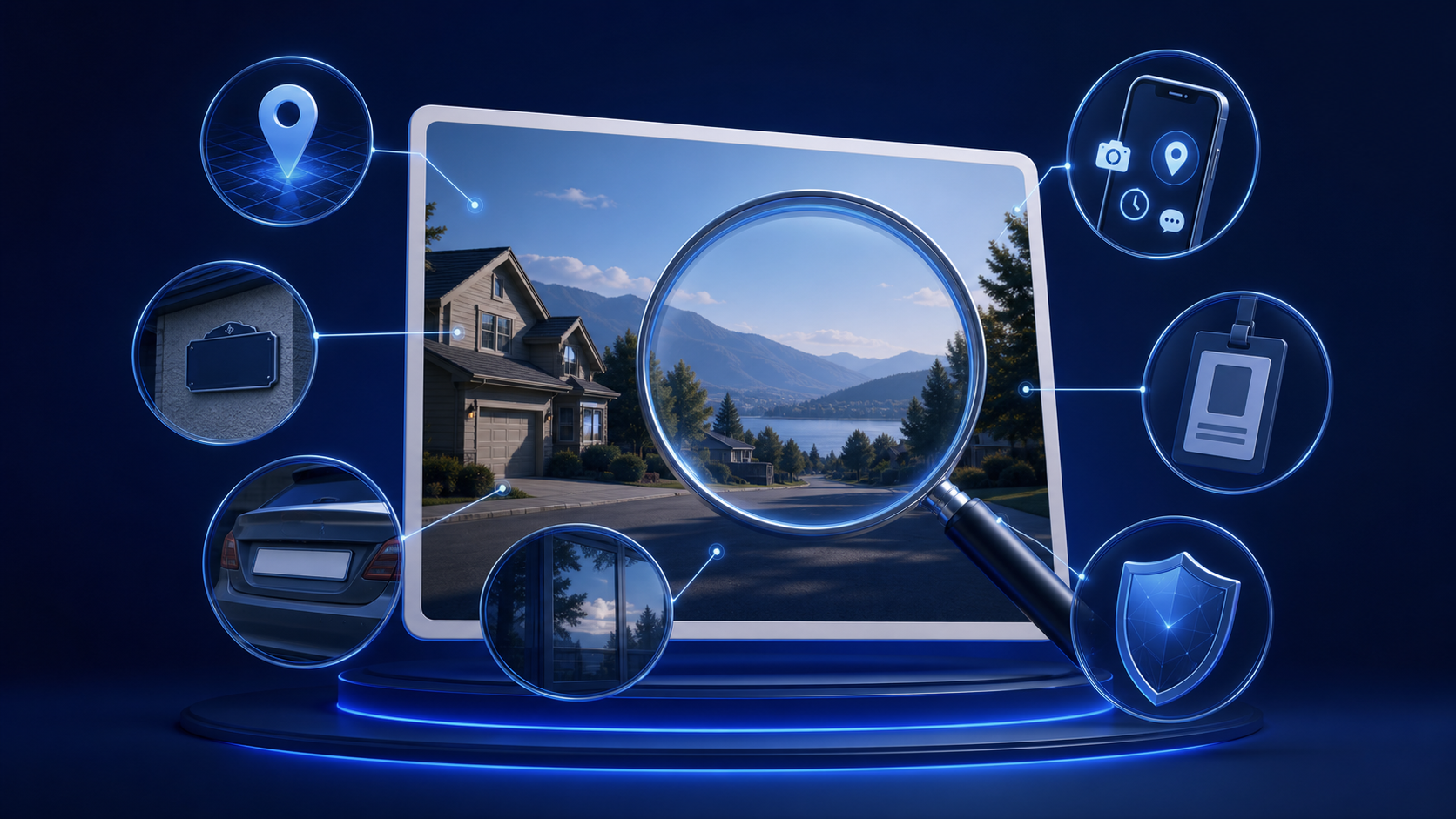
When people think about privacy in a photo, they often focus only on the main subject. In practice, the background, reflections, metadata, filenames, and surrounding objects may reveal just as much. Reviewing those details before uploading or sharing can reduce unnecessary exposure.
Locations can be visible without an address
Street signs, landmarks, transport stops, store fronts, building styles, mountain views, and distinctive interiors can narrow down where a photo was taken. A house number or apartment entrance may reveal an exact location, while a repeated background can expose a daily routine.
Location clues become more revealing when combined. A school colour, local business, weather pattern, and recognizable road may be enough for someone familiar with the area to identify the place.
Vehicles, badges, and documents reveal identity
Vehicle plates, parking permits, delivery labels, employee badges, tickets, certificates, mail, and screens can contain names or account details. Even when text appears small, a high-resolution image may allow it to be enlarged.
Before sharing, inspect the full frame at its original size. Look at tables, walls, shelves, windows, mirrors, and anything pinned or displayed behind the subject.
Privacy clues to check
- Street signs, house numbers, landmarks, and distinctive buildings.
- Vehicle plates, permits, badges, uniforms, and workplace logos.
- Mail, documents, screens, calendars, tickets, and labels.
- Mirrors, windows, glasses, polished surfaces, and shadows.
- Children’s belongings, school information, and family photographs.
- Filenames, timestamps, device details, and location metadata.
- Repeated backgrounds that reveal a home, workplace, or routine.
Reflections can show what is outside the frame
Mirrors and windows may reveal another person, the photographer, a computer screen, a room layout, or a nearby address. Reflections in vehicles, glasses, metal objects, and glossy furniture can also expose details that were not intentionally included.
Cropping the main frame does not always remove a reflection. Zoom in and inspect reflective areas separately before deciding that an image is safe to share.
Metadata may travel with the file
Some image files contain metadata describing the device, date, editing software, or geographic location. Many platforms remove some metadata, but practices differ and can change. Do not assume that a destination will clean the file for you.
Review device settings and export options before sharing. Removing metadata can reduce exposure, but it does not remove visible location clues from the image itself.
Filenames and surrounding messages matter
A filename may contain a name, project, date, or account identifier. The message accompanying a photo can add a location, relationship, or explanation that makes otherwise minor clues more revealing. Privacy should be assessed across the whole upload, not just the pixels.
Other people’s privacy deserves equal care
A photo may include family members, friends, colleagues, neighbours, or bystanders. Do not assume that permission from one person covers everyone shown. If a real person can be identified, obtain their clear, informed agreement for the exact intended use.
Public availability is not consent. Never upload, request, create, possess, or share sexualized content involving anyone under 18. If age, permission, privacy, safety, or legality is uncertain, do not proceed.
Editing can reduce risk but not create permission
Cropping, blurring, removing metadata, or covering details may help protect privacy. These steps do not create consent and cannot guarantee that a person or place is impossible to identify. Original copies, previous posts, or matching backgrounds may still connect the image to someone.
Use a deliberate review process
Pause before uploading and inspect the image at full size. Consider what a stranger could learn, what someone familiar with the subject could recognize, and how the information might change when combined with public profiles or previous images.
Read our guidance on how to protect privacy online, use the privacy checklist before uploading, and review the Undress Net Privacy Policy for this website’s own practices.
When in doubt, choose a different image
No online upload is completely risk-free. If removing identifying details would require extensive editing, or if the image could expose another person’s home, workplace, safety, or dignity, selecting a different image is often the clearest choice.
Our position
Undress Net is an independent review website, not an AI image-generation service. We do not support non-consensual intimate imagery, harassment, blackmail, impersonation, or sexualized content involving minors. Protecting identifying information is part of responsible and respectful use.